Who says managing your money can't be fun?
Managing your finances doesn't have to mean staring at spreadsheets, deciphering bank statements, or jumping between a dozen different apps. What if keeping track of your money was something you actually looked forward to?
My Financials brings your accounts, transactions, and investments together in a beautifully designed experience for iPhone, iPad, and Mac. From your morning coffee to your retirement savings, there's a place for it all.
It's your money. Let's make managing it a little more enjoyable.
All Your Accounts, One Happy Place
A checking account here, a savings account there, a couple of credit cards, a retirement account, and that CD you opened last year. Sound familiar?
Bring them all together in My Financials.
Manage checking and savings accounts, credit cards, investments, retirement accounts, certificates of deposit, annuities, loans, mortgages, and other assets. See what you own, what you owe, and how it all adds up.
Simply assign each account its appropriate account type, and My Financials brings related accounts together into meaningful groups. Focus on your everyday finances, explore your retirement savings, or step back and look at the big picture whenever you like.
No more mental arithmetic across multiple banking apps just to figure out where you stand.
Your Money, Your View
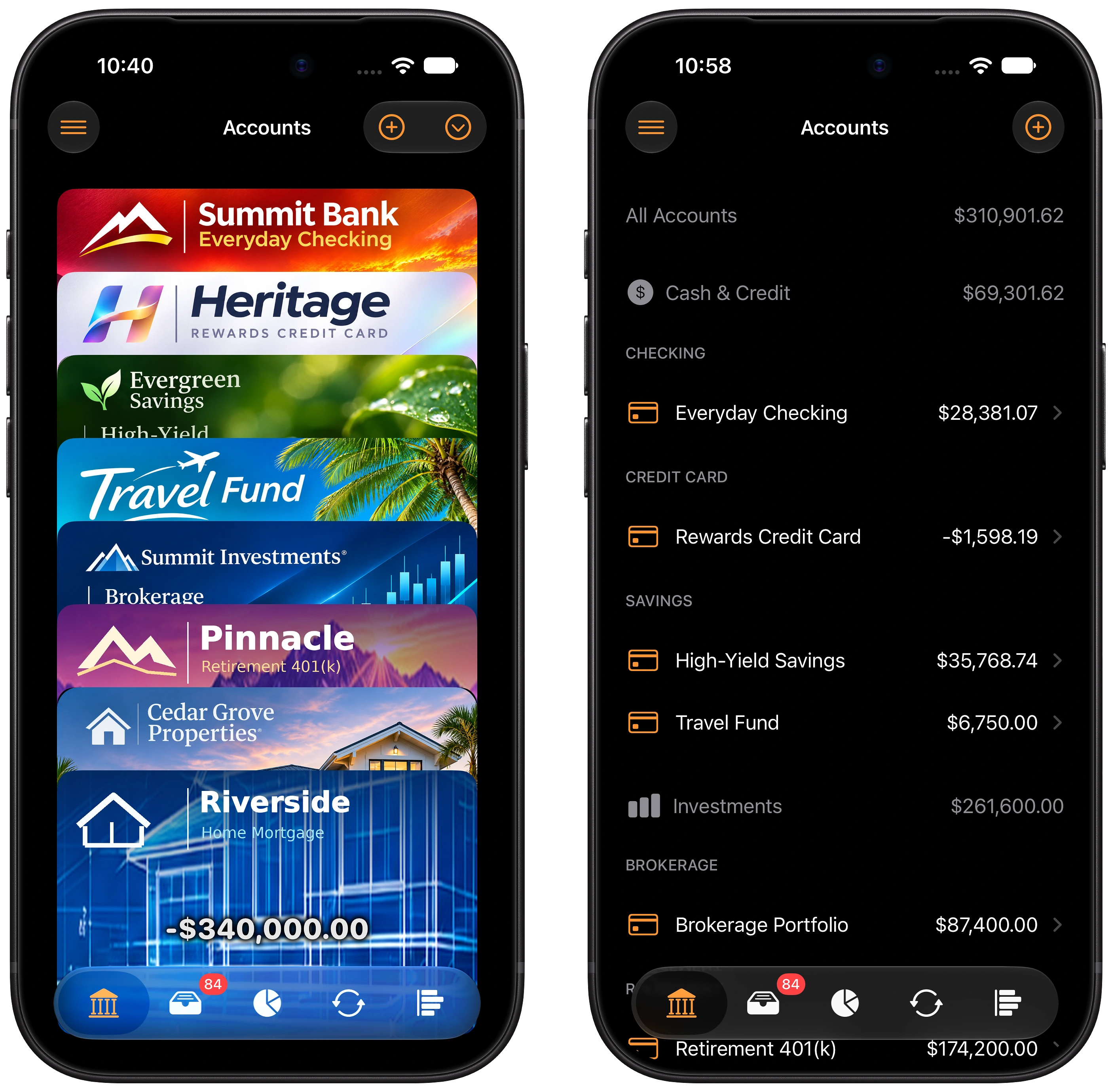
Remember opening your wallet and flipping through your cards? We've brought a little of that experience into My Financials.
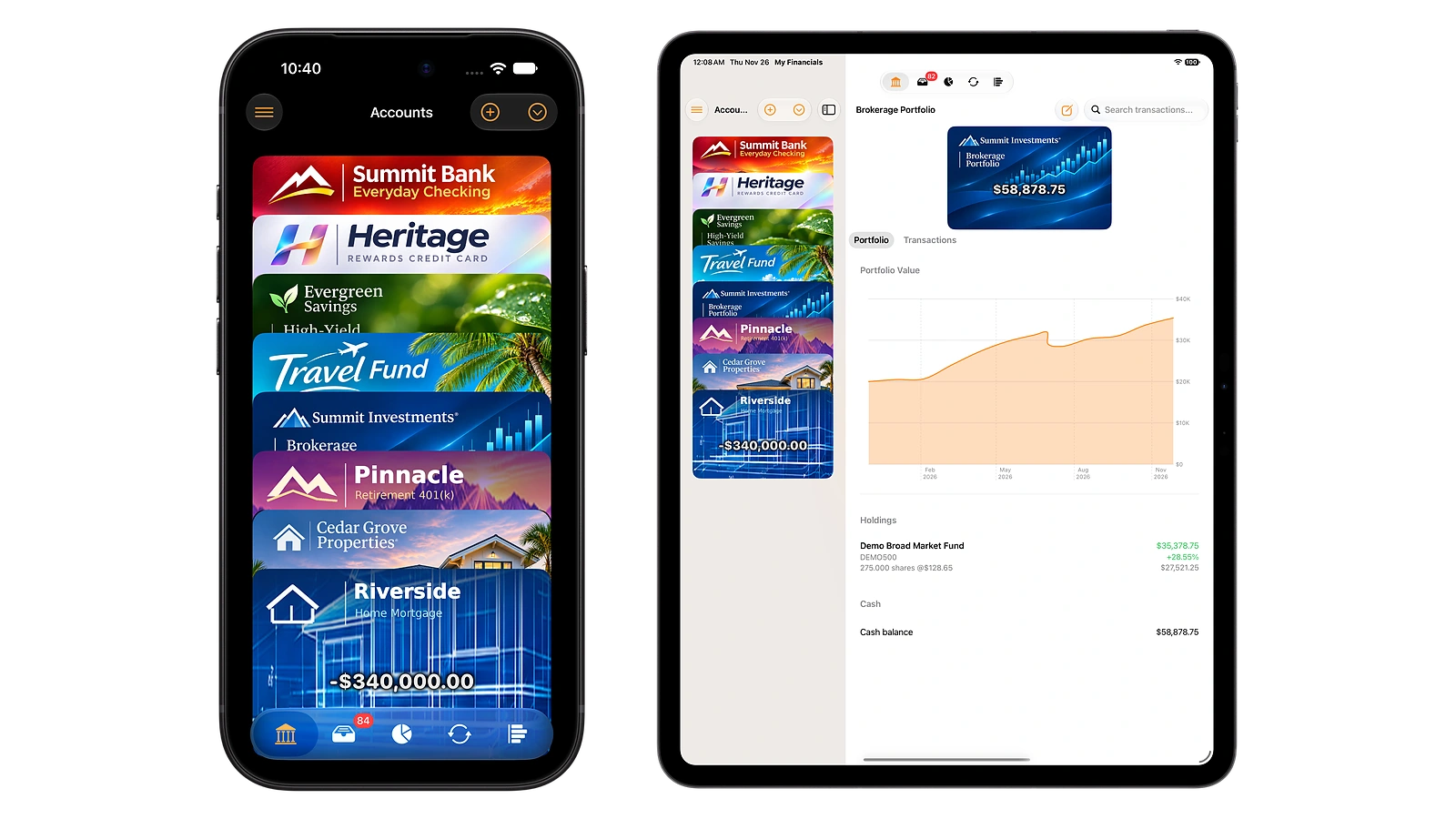
Wallet Mode transforms your accounts into an interactive collection of cards, making exploring your finances feel natural and familiar. Personalize your accounts and give each one a little character.
More of a traditionalist? Switch to the classic list view for a clean, organized presentation of your accounts.
And if you're using iPhone Duo, Duo Mode gives you the best of both worlds — a wallet on the outer display and a classic list on the inner display.
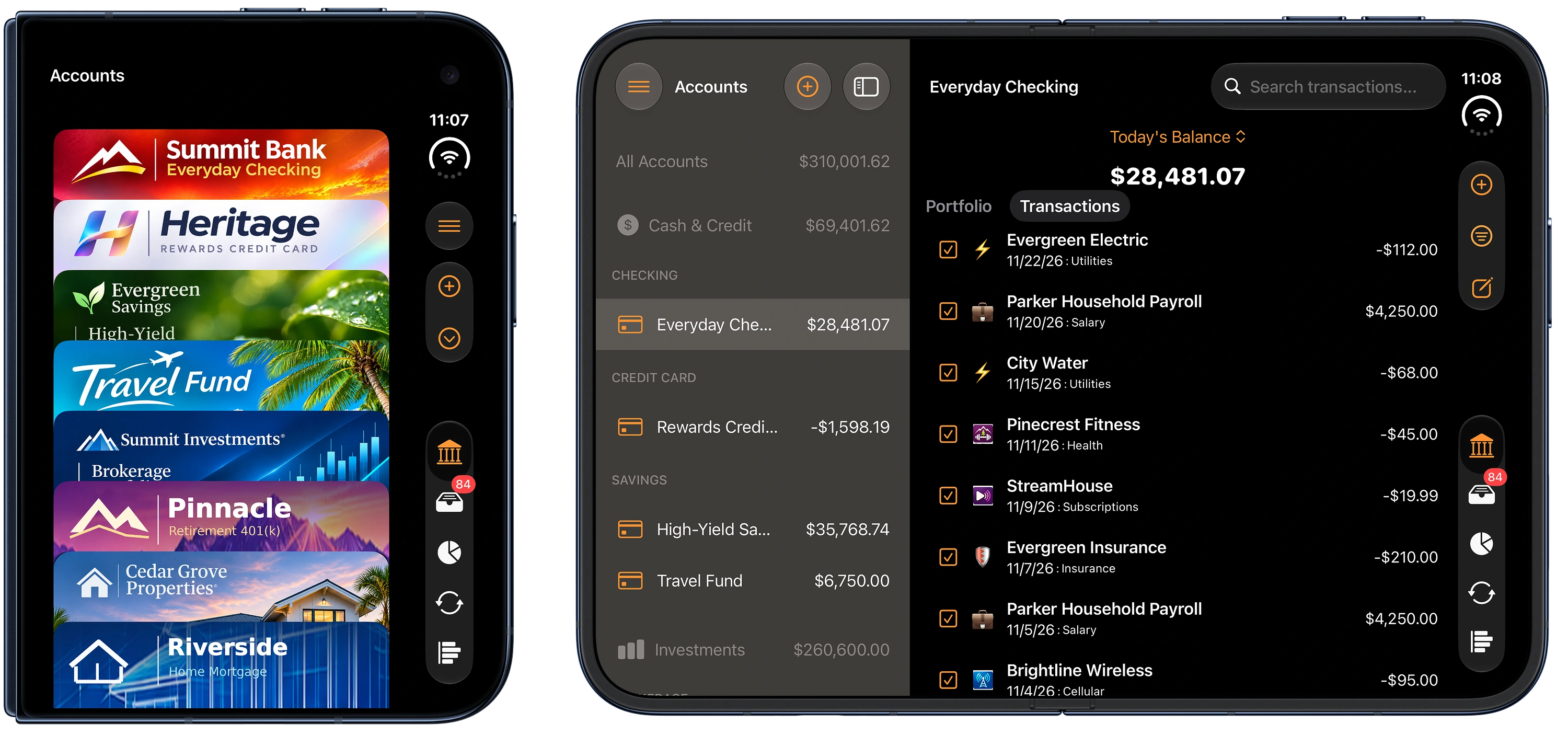
Same accounts. Same information. A different way to enjoy them.
Every Transaction Tells a Story
That little coffee shop you discovered on vacation. Your first mortgage payment. The wedding anniversary dinner that turned into an evening to remember.
Behind every transaction is a little piece of your life.
My Financials helps you capture that story with payees, categories, notes, and transaction details.
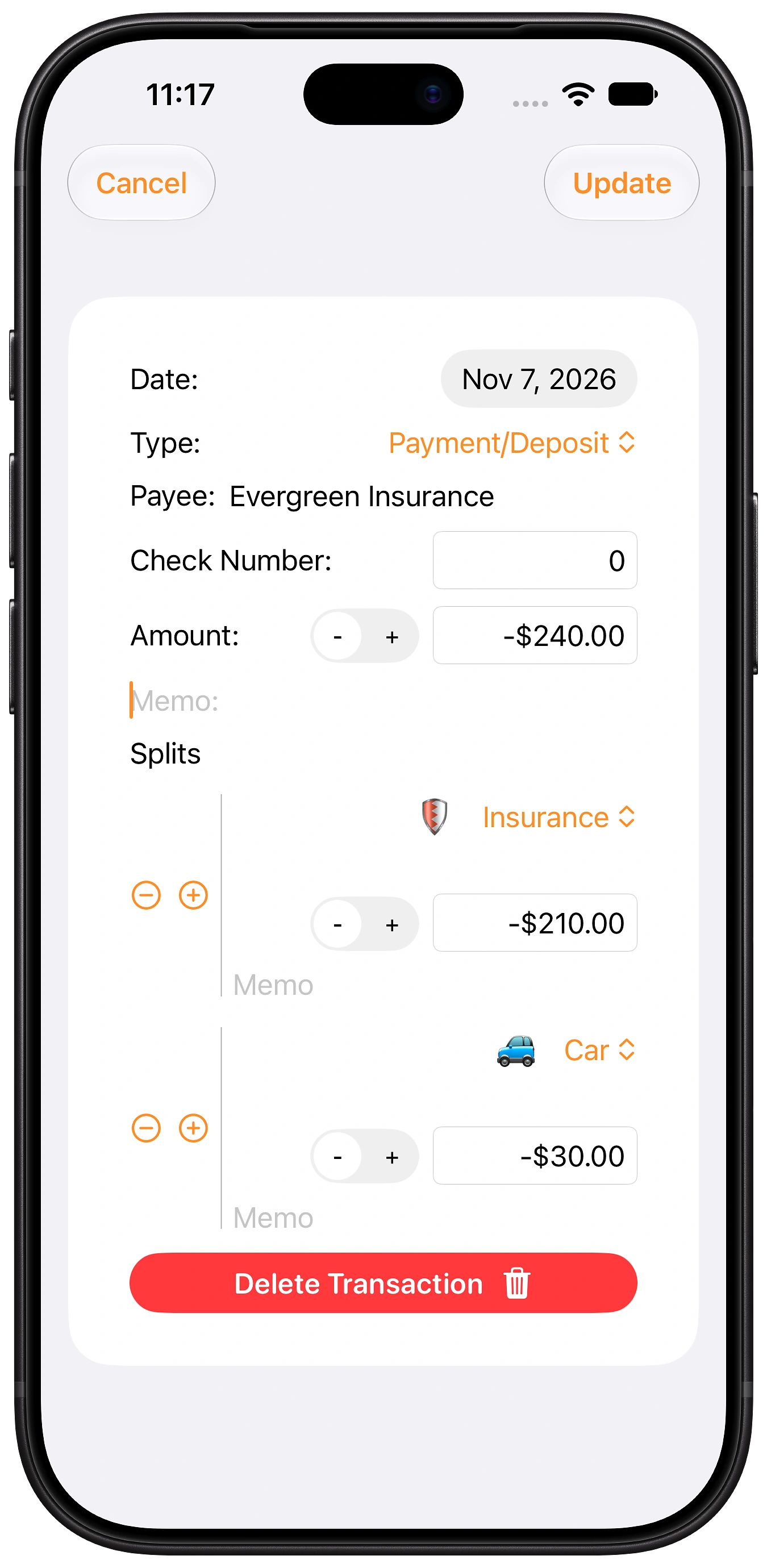
Bought groceries, household supplies, and flowers for date night in a single shopping trip? Split the transaction into multiple categories. Moving money into savings? Record a transfer between accounts. Checking your records against a bank statement? Reconcile your transactions.
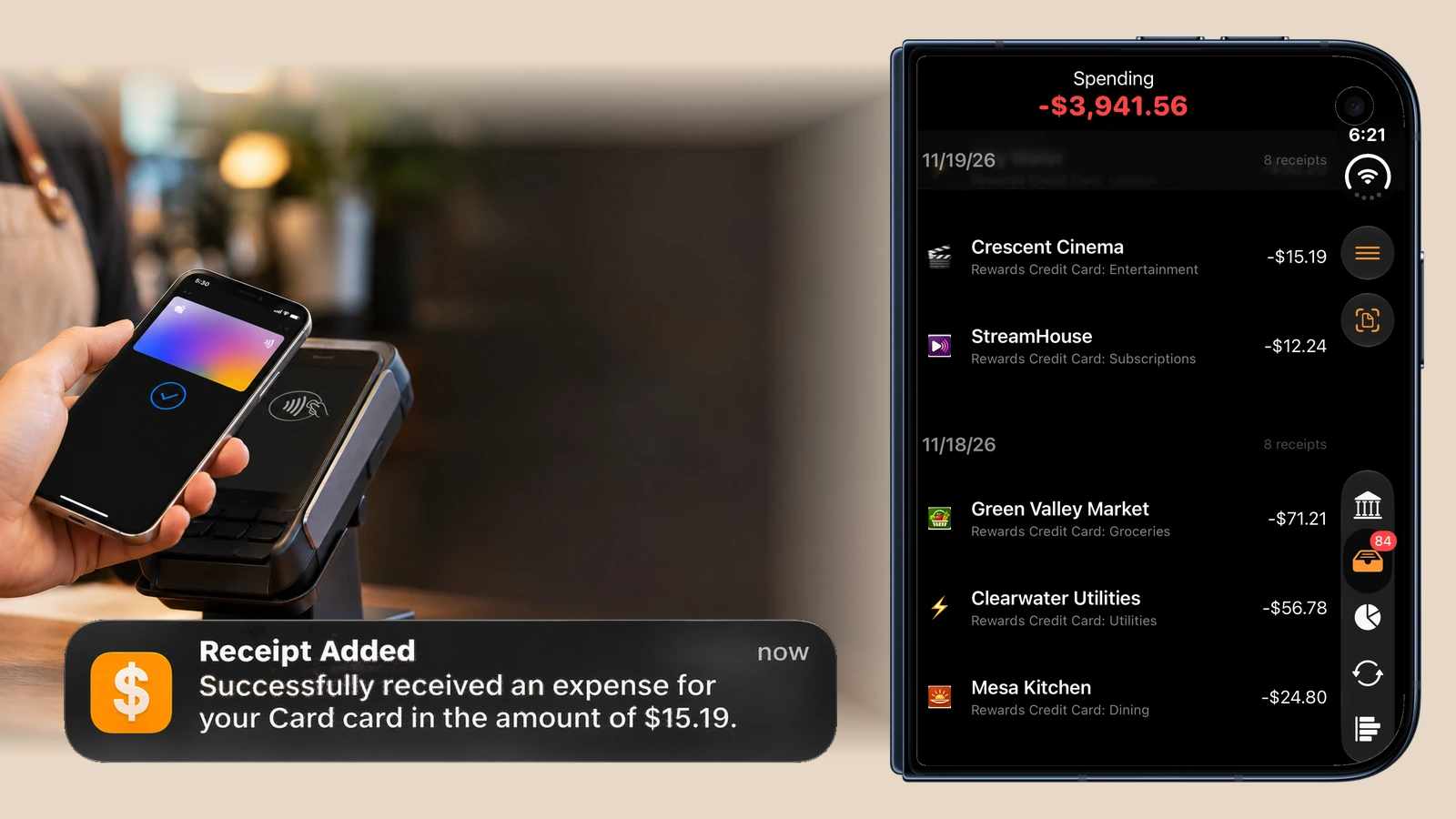
And when you make a purchase using Apple Pay, My Financials can help capture the transaction through an Apple Shortcut. You can even scan a paper receipt and turn it into a transaction on supported devices.
Keeping track of your money doesn't have to interrupt your life.
Find That Thing You Bought That Time
You know the one. You bought it a few months ago, somewhere downtown, and you're pretty sure it cost about $50.
Rather than scrolling endlessly through bank statements, search and filter your transactions to find what you're looking for.
Explore your spending by payee or category, narrow your transaction history to a particular period, or look back at activity in a specific account.
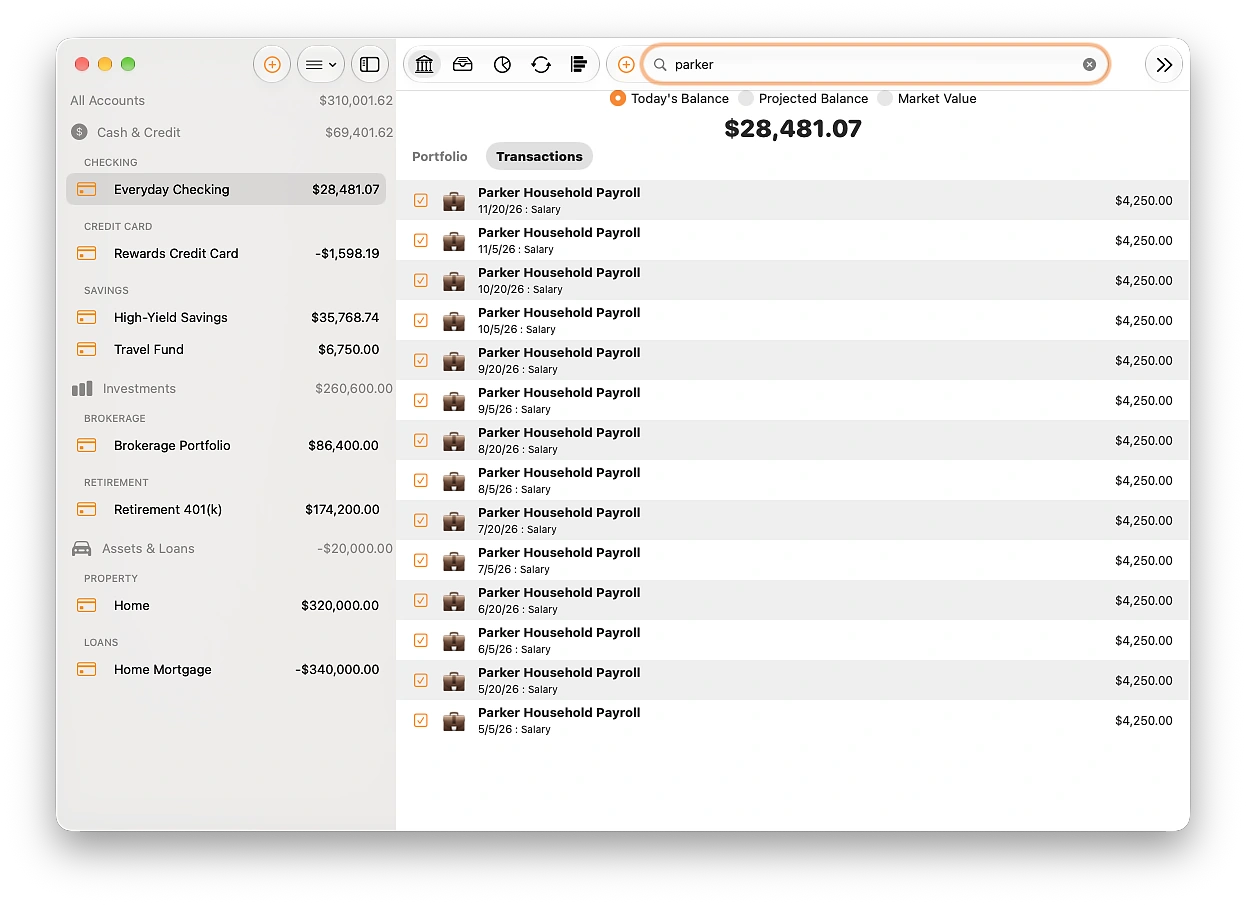
Whether you're tracking down a purchase, reviewing your expenses, or simply satisfying your curiosity, your financial history is there to explore.
More Than Dollars in the Bank
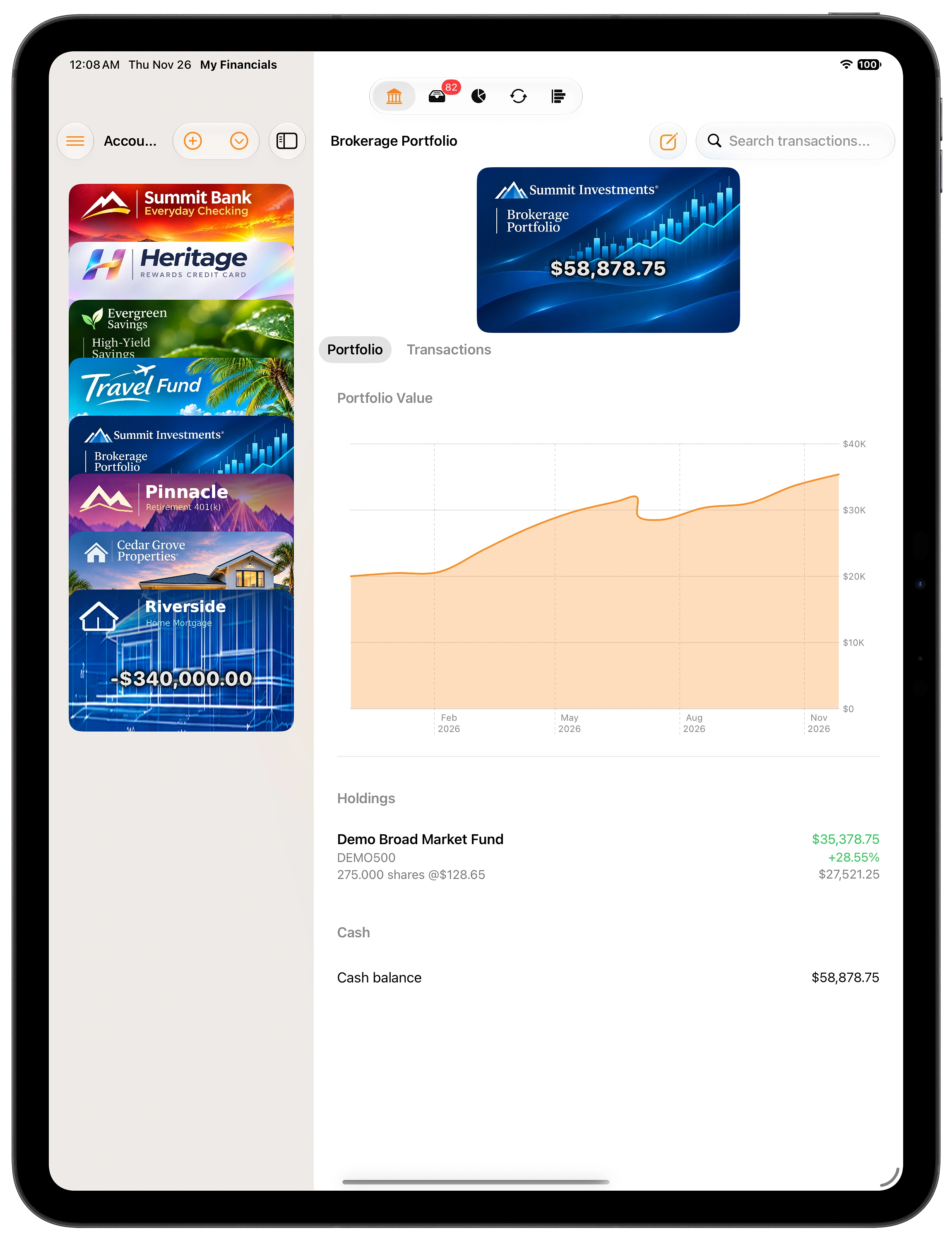
Your financial life extends well beyond everyday spending.
Perhaps you're investing for retirement, building a portfolio, or simply curious about how your investments are doing.
My Financials lets you record investment transactions, track securities and holdings, maintain security prices, and monitor the market value of your investment accounts.
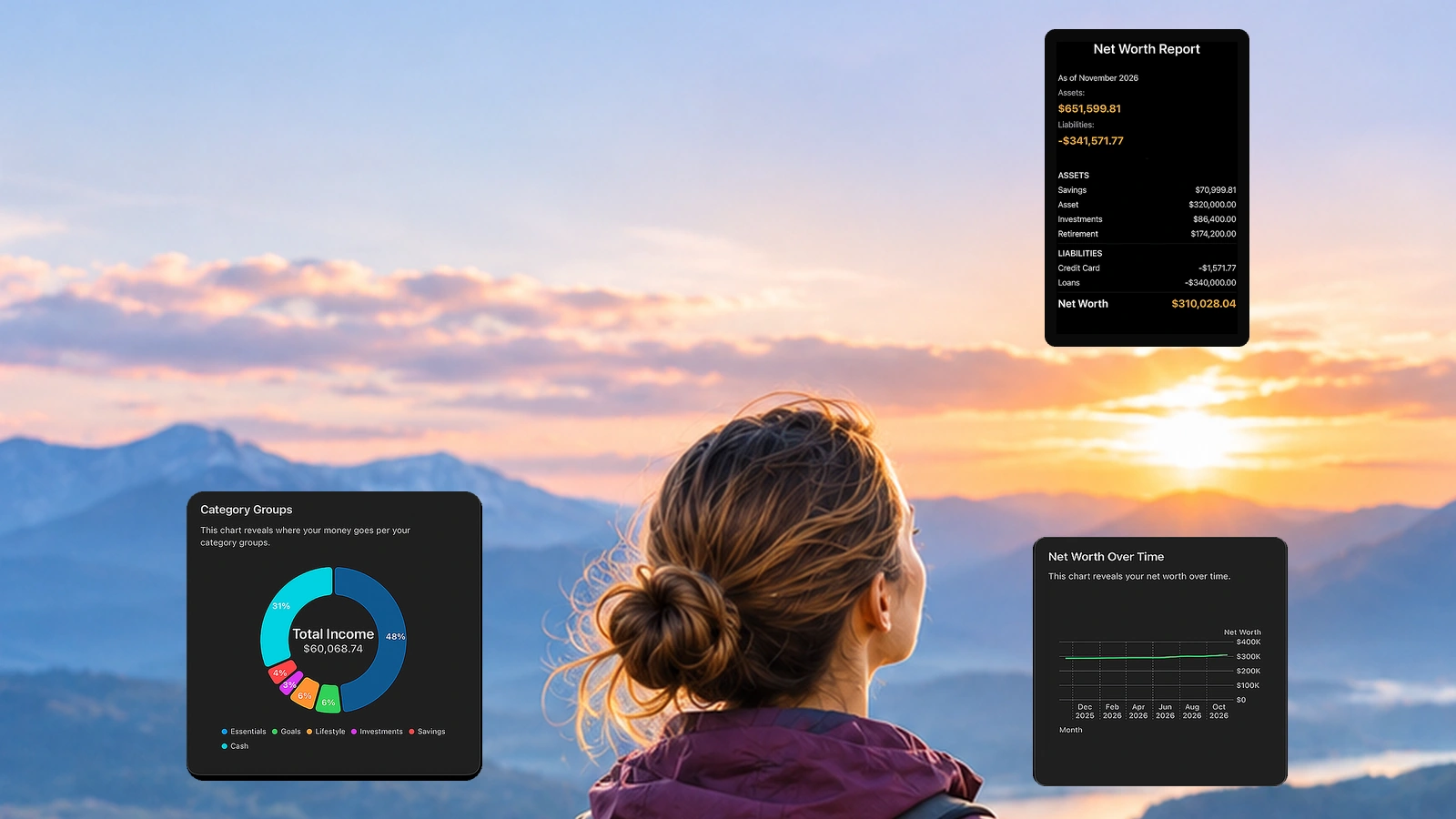
See your investments alongside your everyday accounts and understand how they contribute to your overall net worth.
Because watching your savings and investments grow is one of the more rewarding parts of managing your money.
A Little Personality Goes a Long Way
Who decided personal finance had to be so serious?
Give your coffee category a ☕, your travel category an ✈️, and your favorite pizza place its own payee image.
Customize your categories and add images to your payees. Those little visual touches make your transaction history more recognizable, easier to navigate, and a lot more personal.
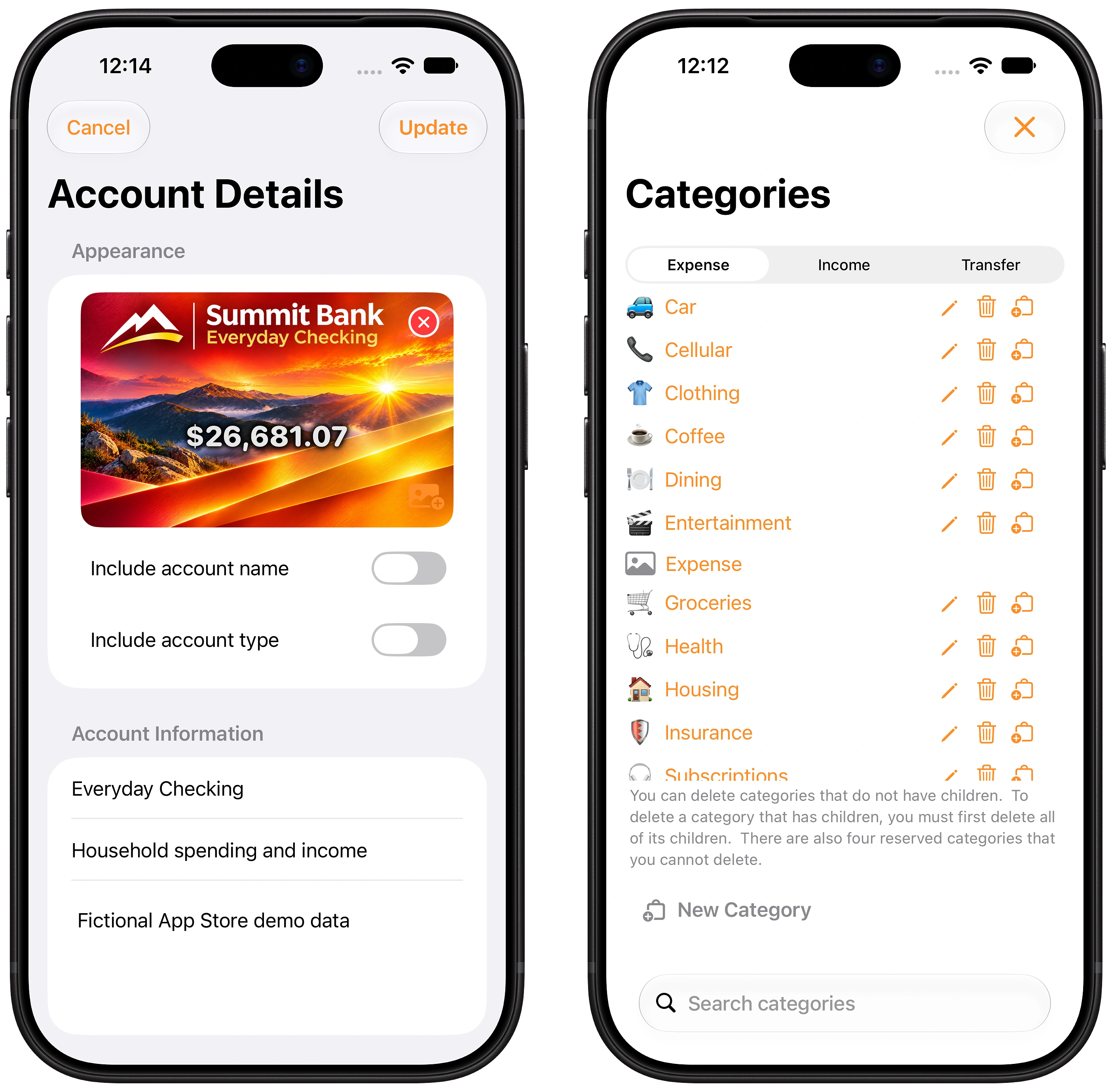
And with Category Groups, you can simplify the way you think about your money without giving up the details.
You might categorize your transactions as groceries, electricity, insurance, dining out, entertainment, and dozens of other expenses. But sometimes, you just want to see the bigger picture.
With Category Groups, you can create your own groups, name them whatever you like, and decide which categories belong to each. For example, you might group your essential expense categories under Needs and your discretionary expense categories under Wants. My Financials automatically includes Investments and Savings, while ungrouped expense categories fall under Other.
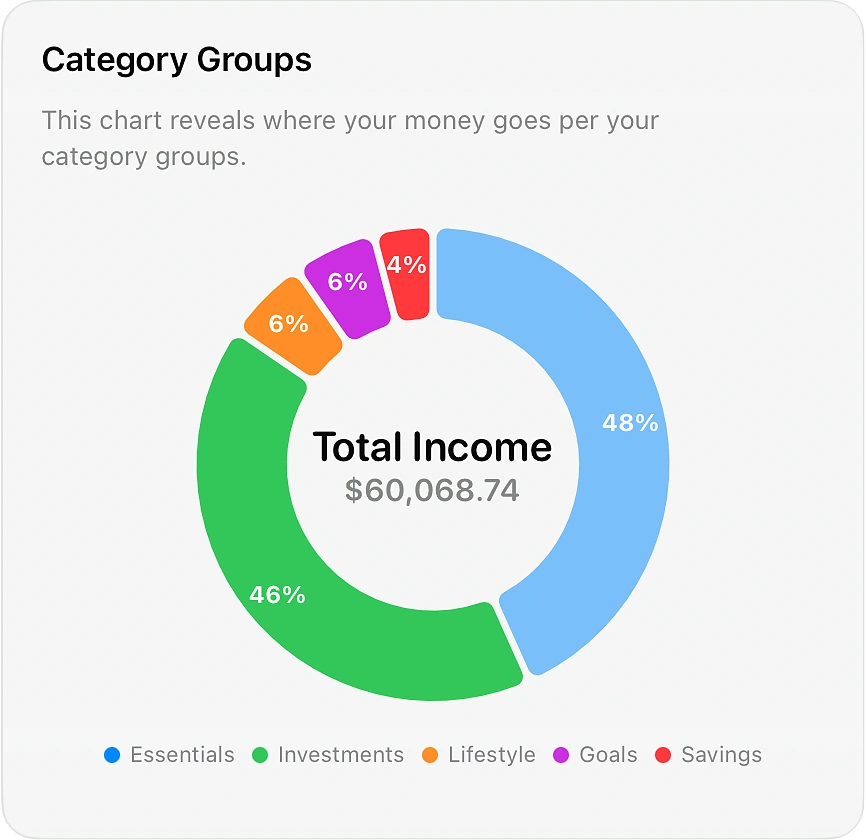
The Category Groups donut chart in Insights brings it all together. At a glance, you can see where your money is going while retaining all the detail of your individual transaction categories.
No budget to set up. No spending limits to maintain. Just a beautifully simple way to understand where your money goes.
You have complete freedom to define your own groups and embrace whatever personal finance philosophy works for you. Whether you follow Ramit Sethi’s Conscious Spending Plan or create an approach that's uniquely yours, My Financials adapts to the way you think about money.
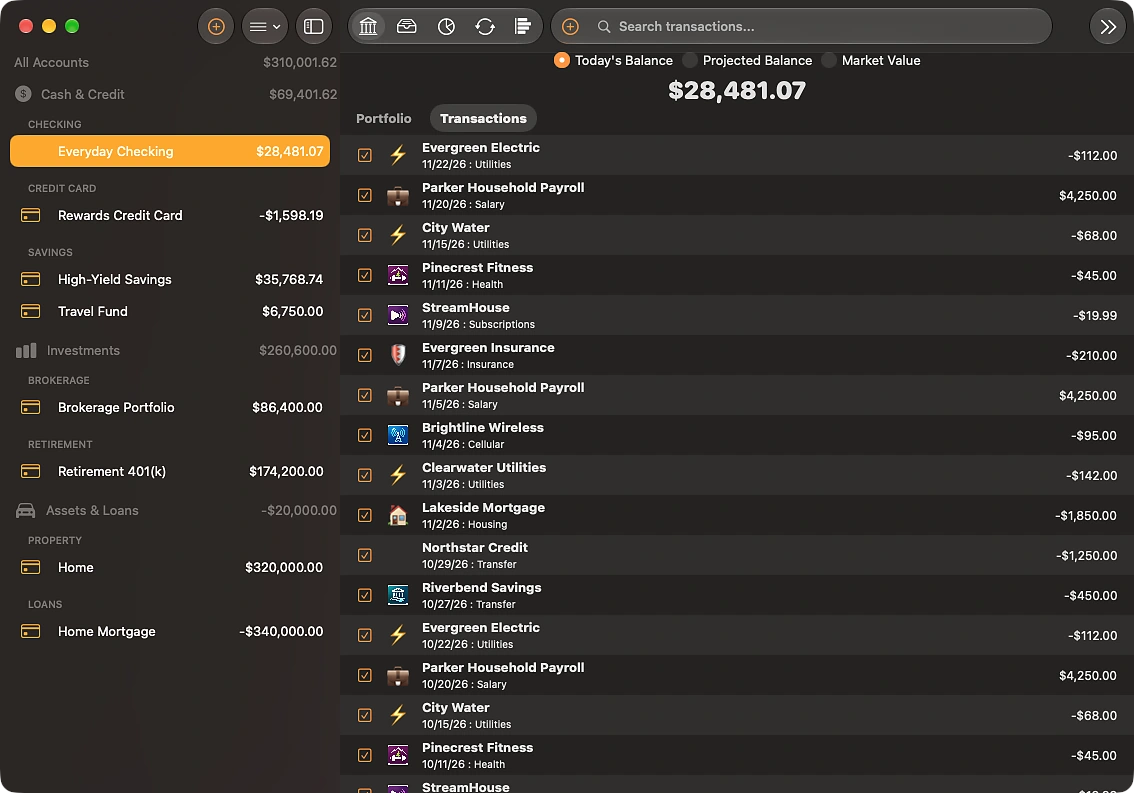
Even your transaction ledger can be tailored to your preferences, with alternating row shading for those who enjoy a more traditional register experience.
It's personal finance, after all. Make it personal.
At Home on Every Device

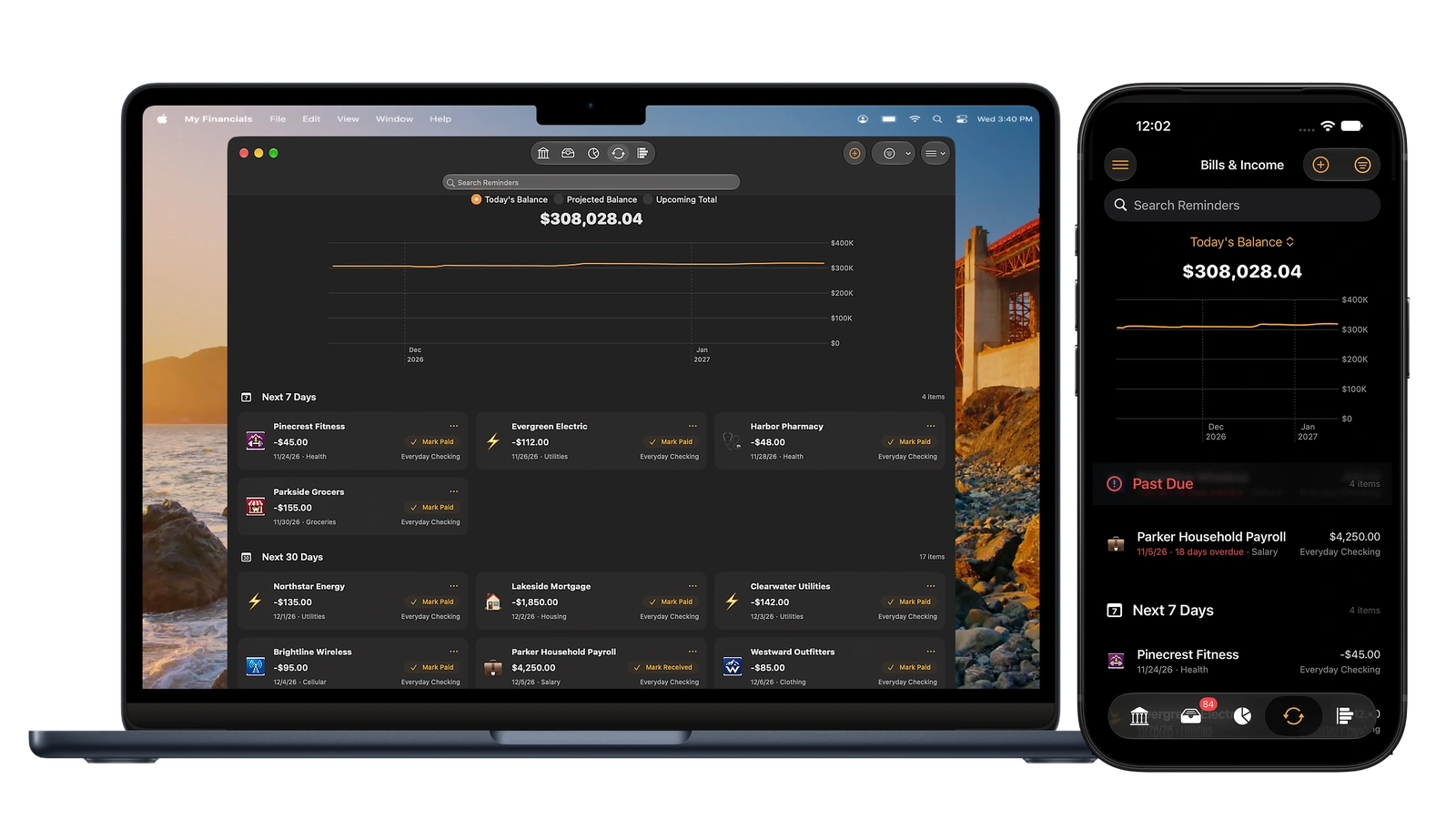
Record a purchase on your iPhone while you're out and about. Explore your accounts on your iPad from the comfort of your couch. Sit down at your Mac when you're ready to dive into the details.
My Financials is designed for each of your Apple devices, taking advantage of the space and capabilities they offer.
With automatic iCloud sync, your financial records are there when you need them, whichever device you happen to be using.
Your Money. Your Data. Your Business.
There's something refreshing about a financial app that doesn't ask for your bank login credentials.
My Financials is designed with privacy in mind. No bank connections are required, and your financial data is stored on your devices and synchronized through your personal iCloud account.
You can import and export your financial records using an open CSV format, giving you control over your information without locking it into a proprietary data format.
And when you have a question about your finances, Sam, your private AI financial assistant, can help you explore your financial information using Apple Intelligence on supported devices.
Your financial life is personal. We believe it should stay that way.
Enjoy the Journey
Managing your money isn't just about paying bills, balancing accounts, or keeping track of expenses. It's about understanding where you've been, appreciating what you've accomplished, and looking forward to what's next.
My Financials brings a little joy to that journey.
Beautifully designed. Thoughtfully organized. Uniquely yours.
Available for iPhone, iPad, and Mac.
It's your money. Let's make managing it a little more enjoyable. Download My Financials today!