Budget Your Way
A budget shouldn't be about telling yourself what you can't do. It should be about making room for the things you want to do.
Some people love giving every dollar a job. Others prefer setting a few spending limits. And some simply want to understand where their money goes without maintaining a budget at all.
My Financials embraces all three approaches.
Zero-Effort Budgeting
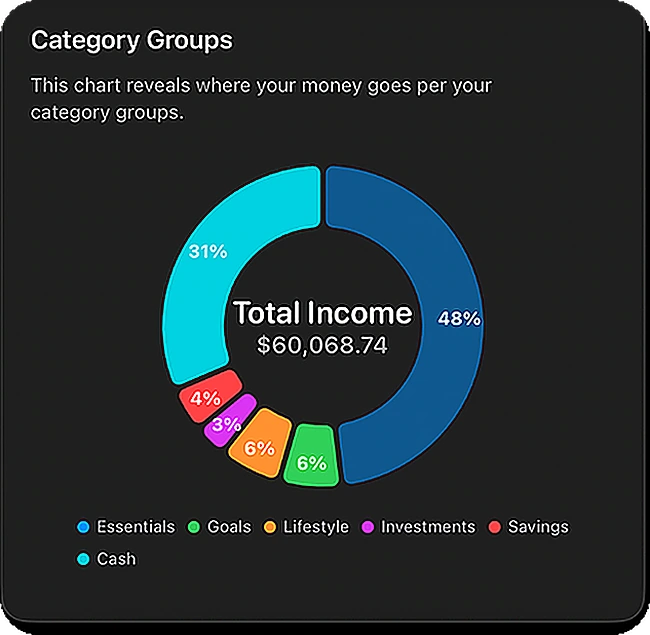
What if you could keep an eye on your spending without actually creating a budget?
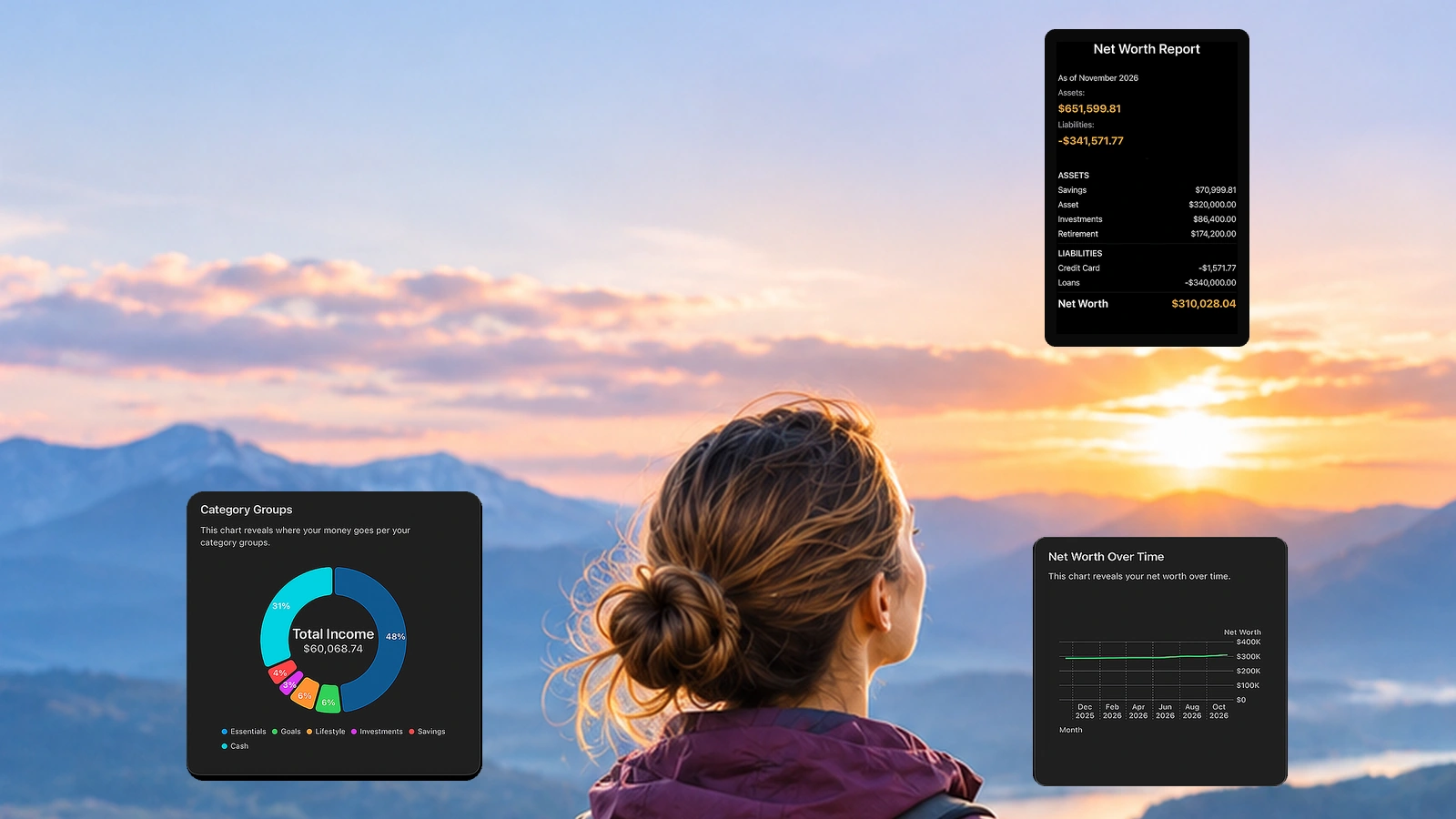
With Category Groups, you can organize your expense categories into meaningful groups like Needs and Wants, or whatever makes sense for your lifestyle.
The Category Groups chart in Insights brings it all together, helping you understand where your money goes simply by recording your everyday transactions.
No monthly allocations. No spending limits to maintain. Just a little awareness that can go a long way.
Whether you're inspired by Ramit Sethi's Conscious Spending Plan or have a financial philosophy of your own, it's a wonderfully simple way to stay mindful of your spending.
Traditional Budgeting
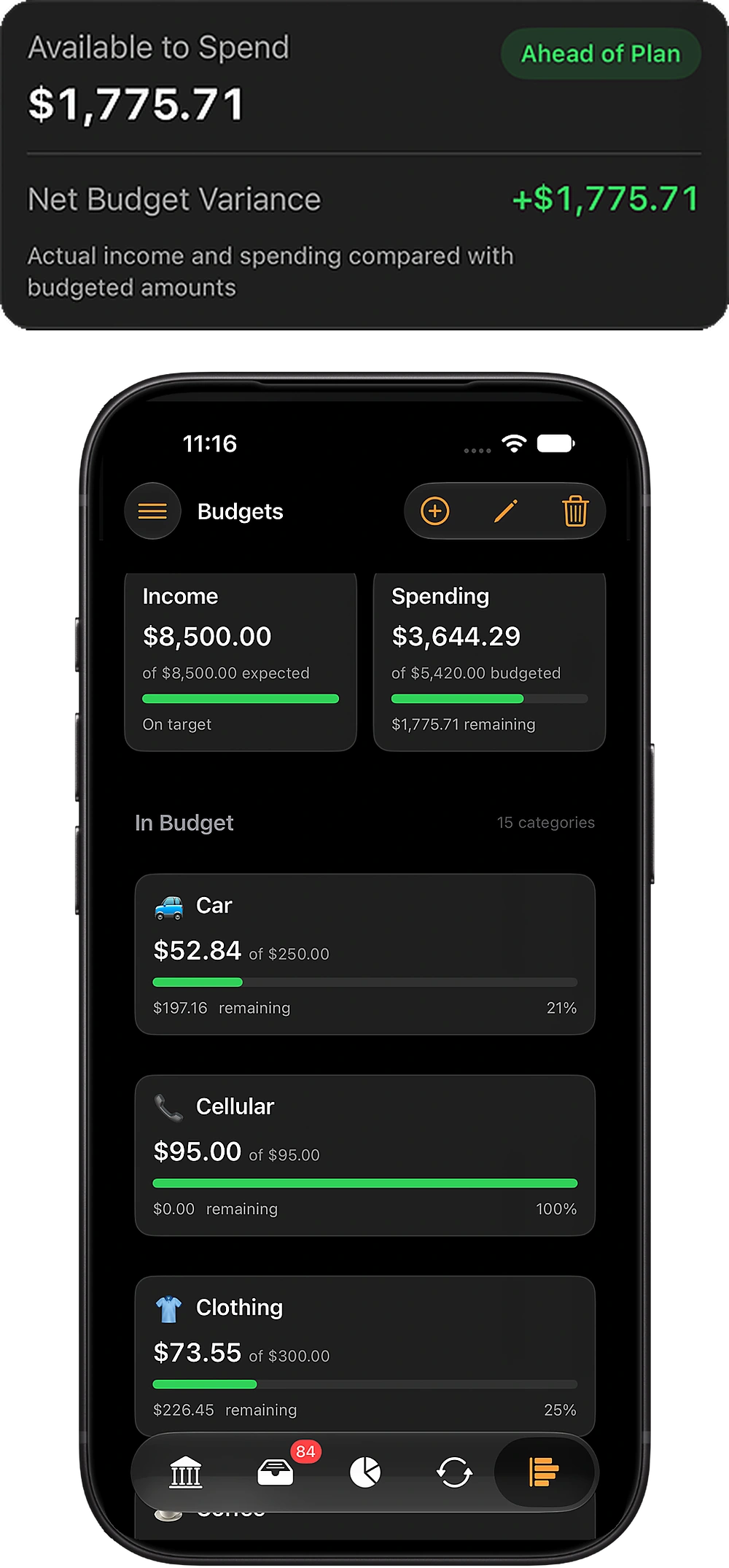
Perhaps you want to keep your grocery spending under $600 a month, set aside $200 for dining out, or keep an eye on your entertainment expenses.
With traditional budgeting, you decide which categories to include and how much to budget for each.
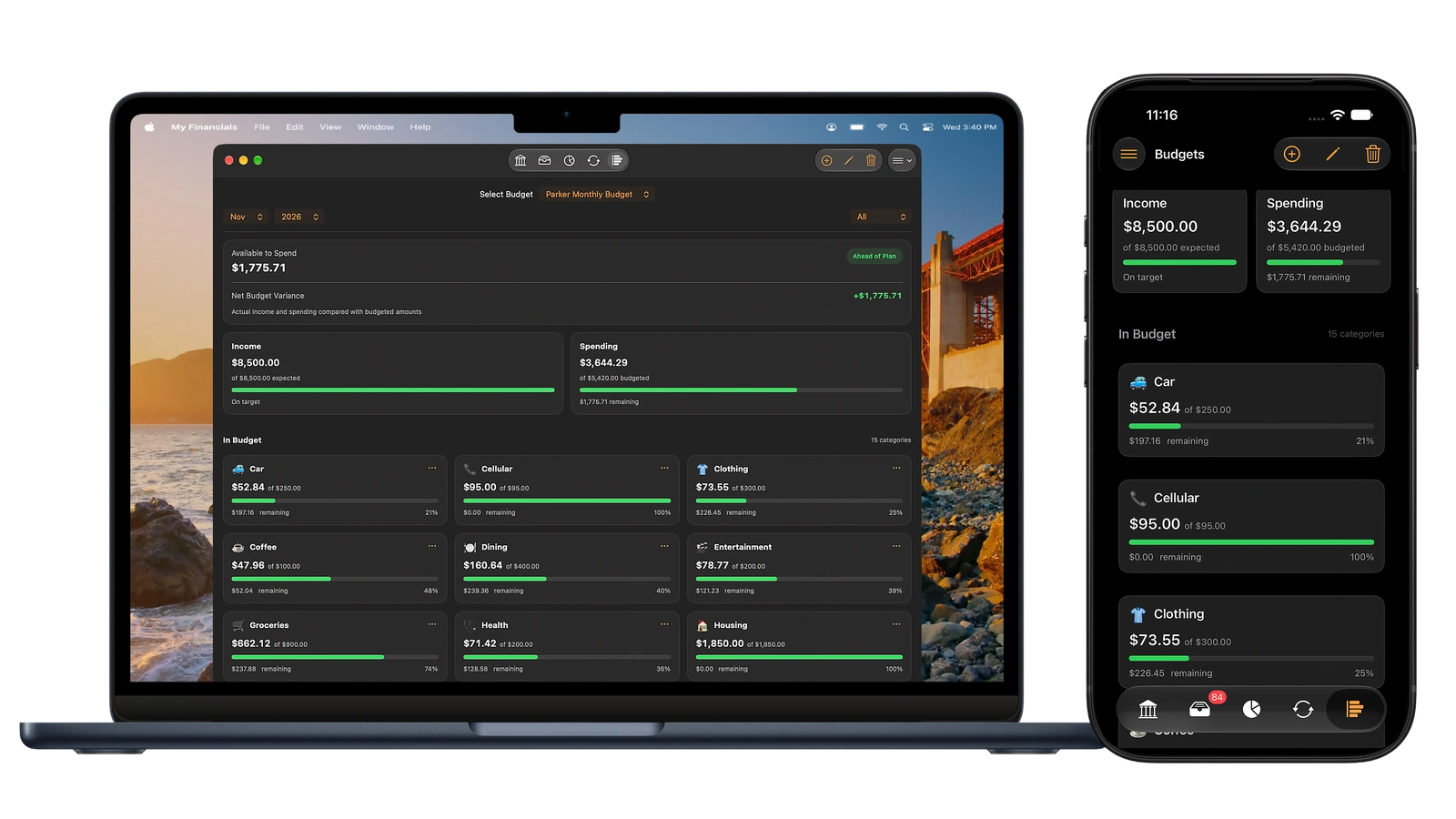
As you record your transactions, My Financials keeps track of your progress. See how much you've spent, how much remains available to spend, and whether you're ahead of or behind your plan.
Budget a few categories or budget them all. It's entirely up to you.
Give Every Dollar a Job
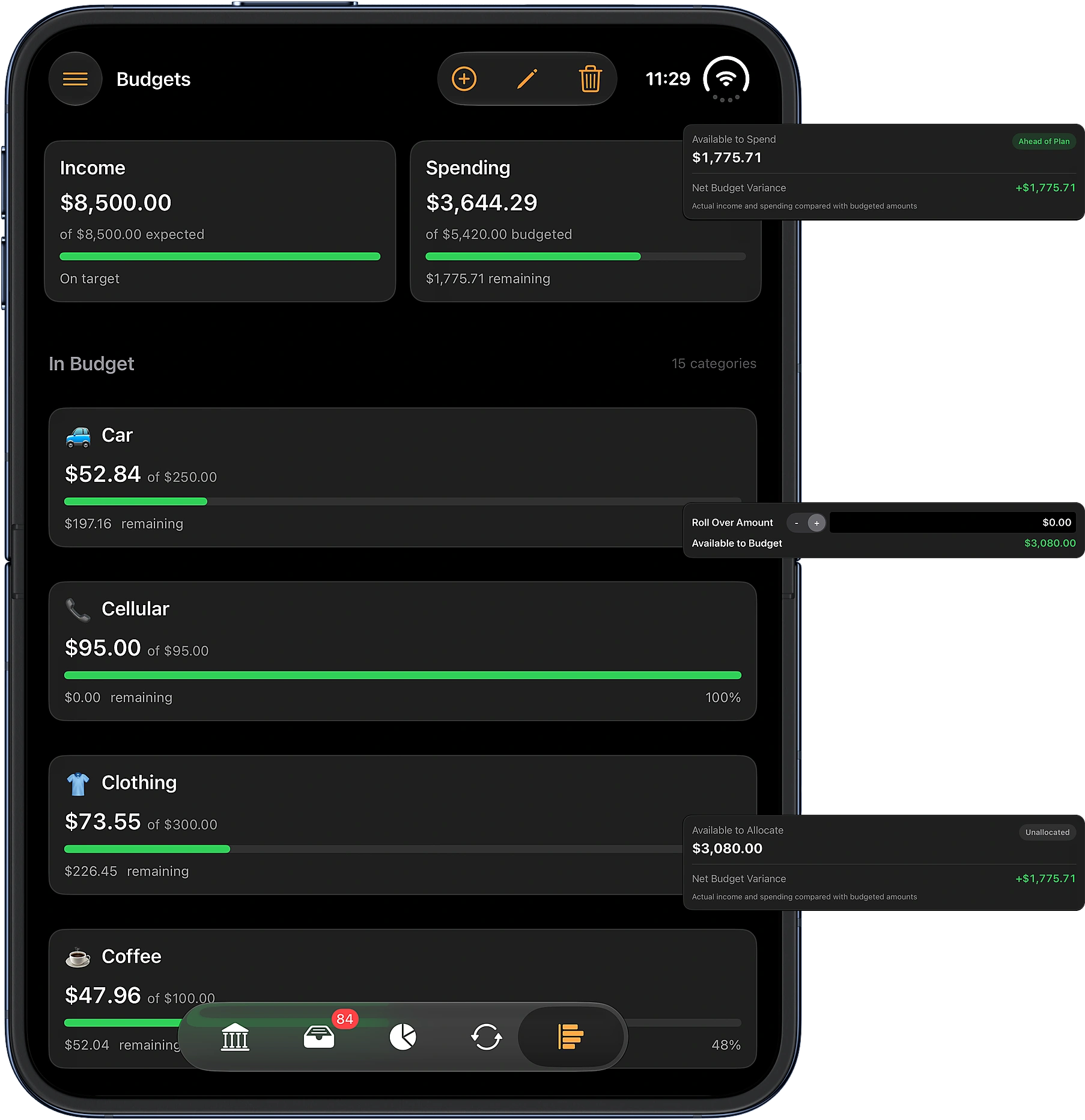
If you prefer a more intentional approach, zero-based budgeting helps you decide where every dollar should go.
Start with your expected income, factor in any rollover amount, and allocate your money according to your priorities.
The Available to Allocate card shows how much you still have to assign. When every dollar has a purpose, your budget is Fully Allocated.
That doesn't mean you've spent all your money. It means you've made a plan for it.
A Fresh Start Every Month
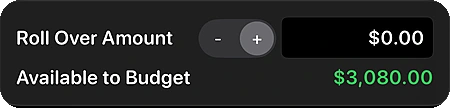
Not every month goes according to plan. And that's perfectly okay.
With zero-based budgeting, the Roll Over Amount lets you account for money left over from a previous month or spending that went a little beyond your plan.
Because life doesn't always fit neatly into a calendar month, your budget has the flexibility to adapt.
See How You're Doing
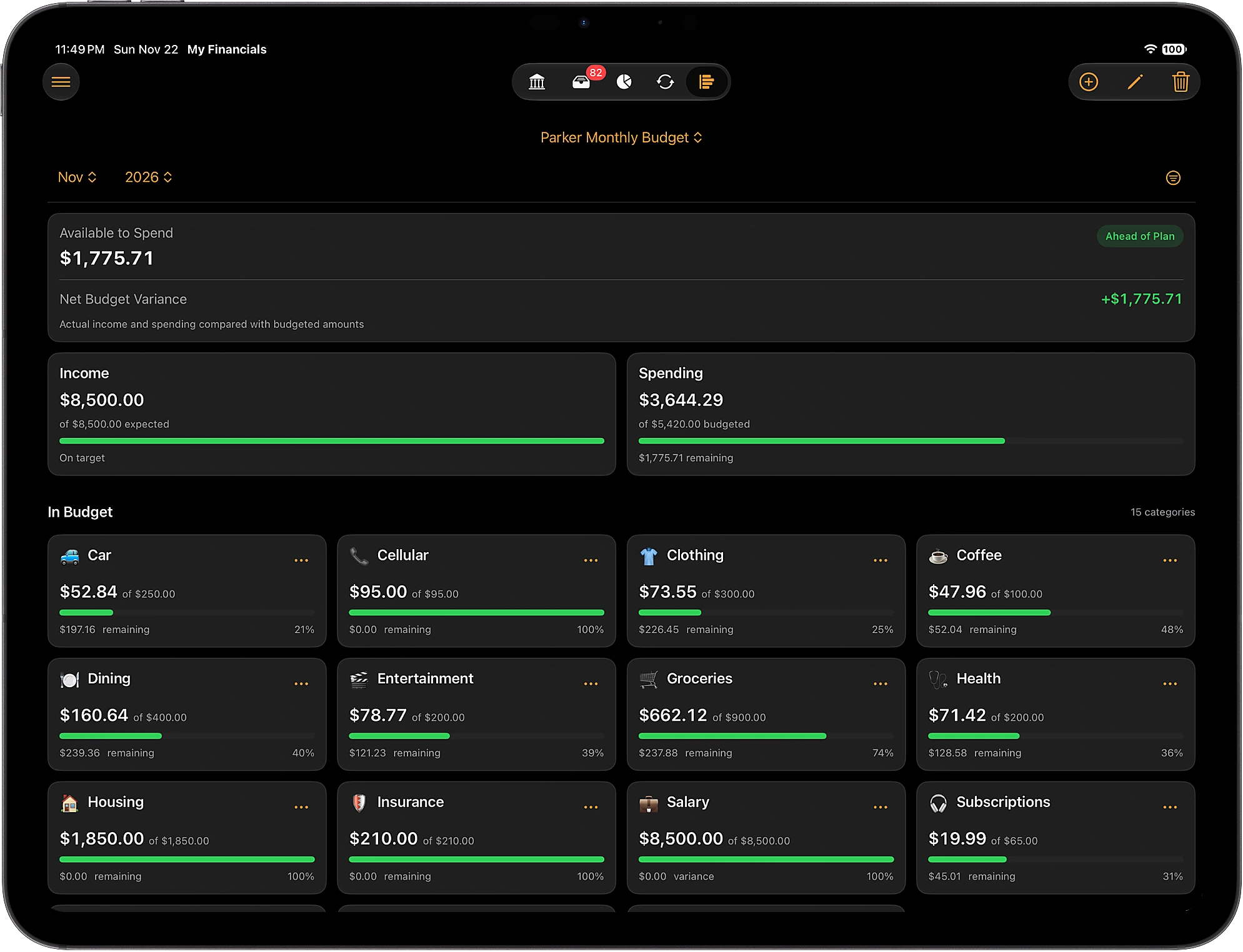
Your budget comes to life as you record your transactions.
Beautifully simple cards show your income, spending, and progress toward your individual budget targets. Even categories you haven't included in your budget remain visible, so you can keep an eye on those expenses too.
And whether you're checking your progress on your iPhone or sitting down with your iPad or Mac, your budget is right there with you.
One Budget? Why Stop There?
Create multiple budgets to explore different spending plans.
Perhaps you want to explore the possibilities of living on one income or simply experiment with a different approach to spending.
You don't have to give up your existing budget to try something new.
Make Room for What Matters

Budgeting isn't necessarily about spending less. It's about spending more intentionally on the things that matter to you.
A weekend getaway. Dinner with friends. A new hobby. Or simply the peace of mind that comes with knowing you're making progress toward your goals.
Your money. Your priorities. Your budget.
Make room for what matters most. Download My Financials today!