Life Happens. So Do Receipts.
A coffee on the way to work. Groceries on the way home. Dinner with someone special.
Every purchase is part of your financial story, but keeping track of it shouldn't get in the way of living it.
My Financials makes capturing your everyday purchases remarkably easy. Whether you're paying with Apple Pay, speaking to Siri, or scanning a paper receipt, your receipts are collected in one convenient place, ready whenever you are.
Tap. Pay. Done.

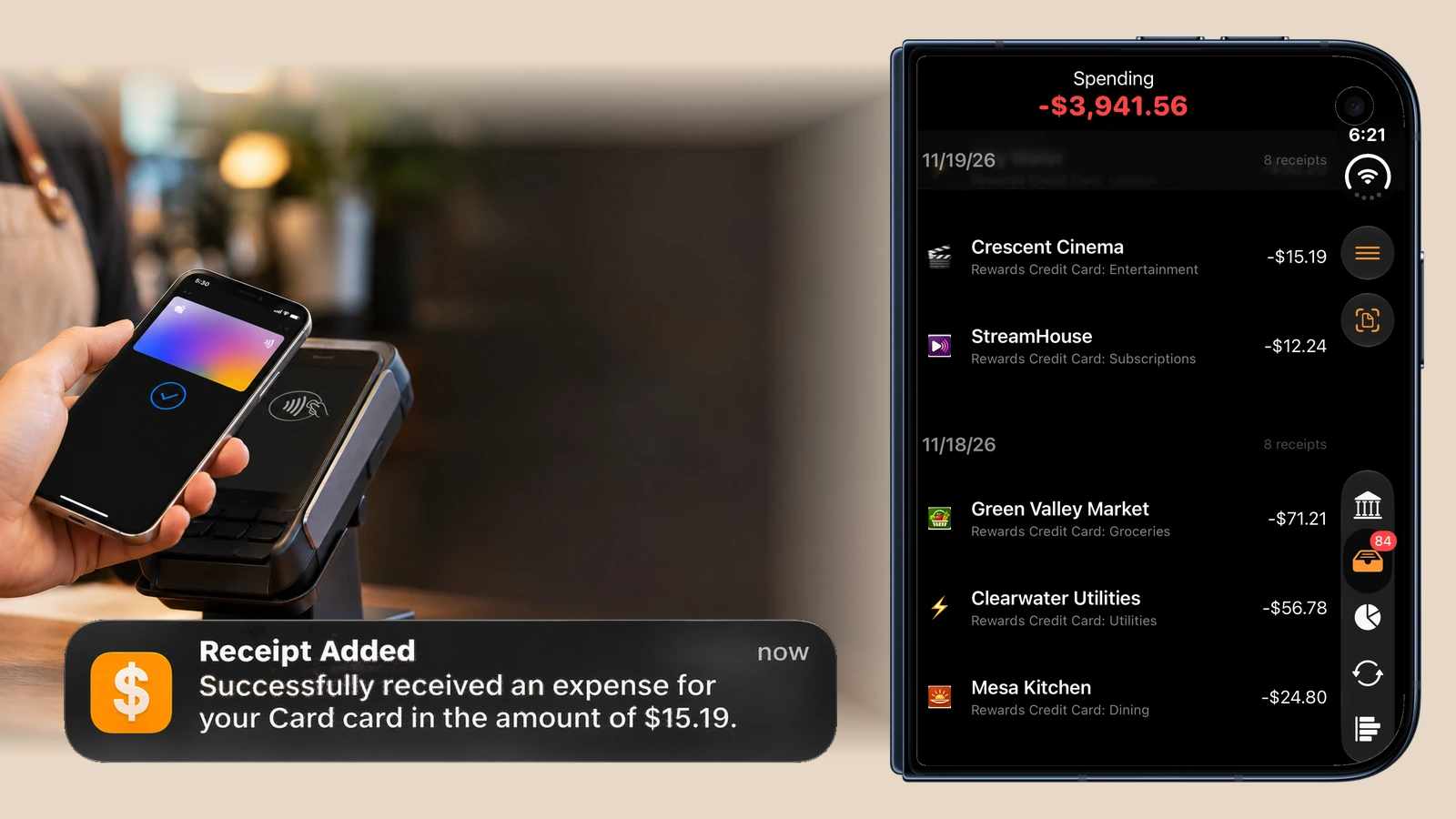
Imagine picking up your morning coffee, paying with Apple Pay, and knowing that your purchase has already been captured in My Financials before you even leave the coffee shop.
With a one-time setup using Apple's Shortcuts app, My Financials automatically captures receipts from your configured Apple Pay cards. A notification lets you know your receipt has been captured, giving you confidence, right there at the point of sale, that your purchase is waiting for you when you're ready to account for it.
No app to open. No details to enter. No purchase to remember later.
Just tap, pay, and enjoy your coffee.
Learn how to configure Apple Pay integration.
Paper Receipts? No Problem.

Your partner comes home from the grocery store with a paper receipt for a purchase made from your joint account. Their card isn't configured for automatic receipt capture? No problem.
Simply tap the Scan button in Receipts and point your camera at the paper receipt. Apple Intelligence extracts the purchase details, ready for you to review.
Less typing. Less paperwork. More time for the things you'd rather be doing.
Receipt scanning requires a compatible device with camera vision support and Apple Intelligence enabled, running iOS 27, iPadOS 27, or macOS 27 or later.
Just Ask Siri

Paid with cash? Tapped your credit card instead of using Apple Pay? Just tell Siri about your purchase while the details are fresh.
You don't even need to open My Financials. Siri can help you capture a receipt so you can get on with your day.
Discover what you can do with Siri and My Financials.
Make It Your Own
Apple Pay is just the beginning.
With Apple Shortcuts, you can create your own receipt capture automations. Perhaps your credit card company sends you a text message whenever you or your partner makes a purchase.
Imagine your partner paying with Apple Pay on their iPhone using a shared credit card. Your card provider sends a purchase notification via text message to your iPhone, and My Financials automatically captures the receipt through your configured automation.
Even though the purchase happened on someone else's device, the receipt is waiting for you.
It's your money, your devices, and your way of doing things.
Capture Now. Account Later.
Think of Receipts as the digital equivalent of putting a receipt in your pocket — only better.
When you're out enjoying dinner, the last thing you want to do is think about accounting. With automatic receipt capture configured, My Financials captures your Apple Pay purchase for you. Paying another way? Simply tell Siri about your purchase while the details are fresh, and get back to enjoying your evening.
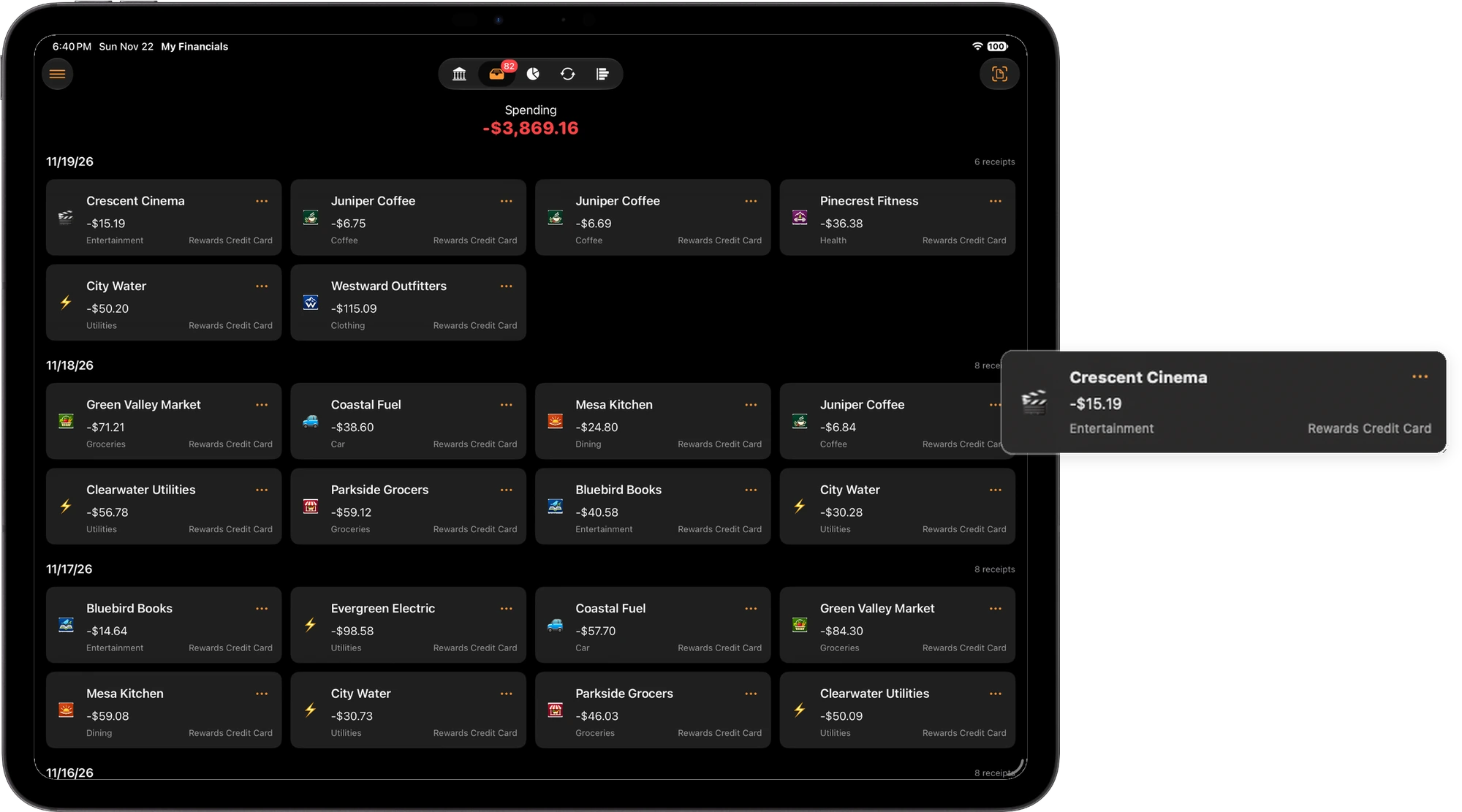
Later, when you're in accounting mode, your receipts are waiting for you. Verify the details, make any necessary adjustments, choose the appropriate categories, and turn a receipt into a transaction with just a click or two. It's that easy.
Why not create transactions automatically? Because your financial records deserve a little more care. Capturing a purchase and accounting for it are two different things, and My Financials gives you the freedom to decide when, where, and on which device you do each.
Prefer to sit down with your Mac and a cup of coffee rather than manage your finances on your iPhone while you're out and about? Go right ahead. Your receipts will be waiting for you.
Effortless capture. Thoughtful accounting. The best of both worlds.
Convenience Without Compromise
Not everything needs access to everything.
Just as a paper receipt in your pocket is separate from your financial records, My Financials maintains a deliberate boundary between receipts and transactions.
Siri can help you manage your receipts without being given access to your accounts, balances, or transaction history.
Sam, your personal financial assistant, is different. Powered by on-device Apple Intelligence, Sam can work with your financial records entirely within My Financials, on your device.
Two different assistants. Two different responsibilities. One thoughtful approach to protecting your financial privacy.
Convenience, accuracy, and privacy shouldn't have to compete with one another. That's why Receipts in My Financials was thoughtfully designed to deliver all three.
Ready When You Are
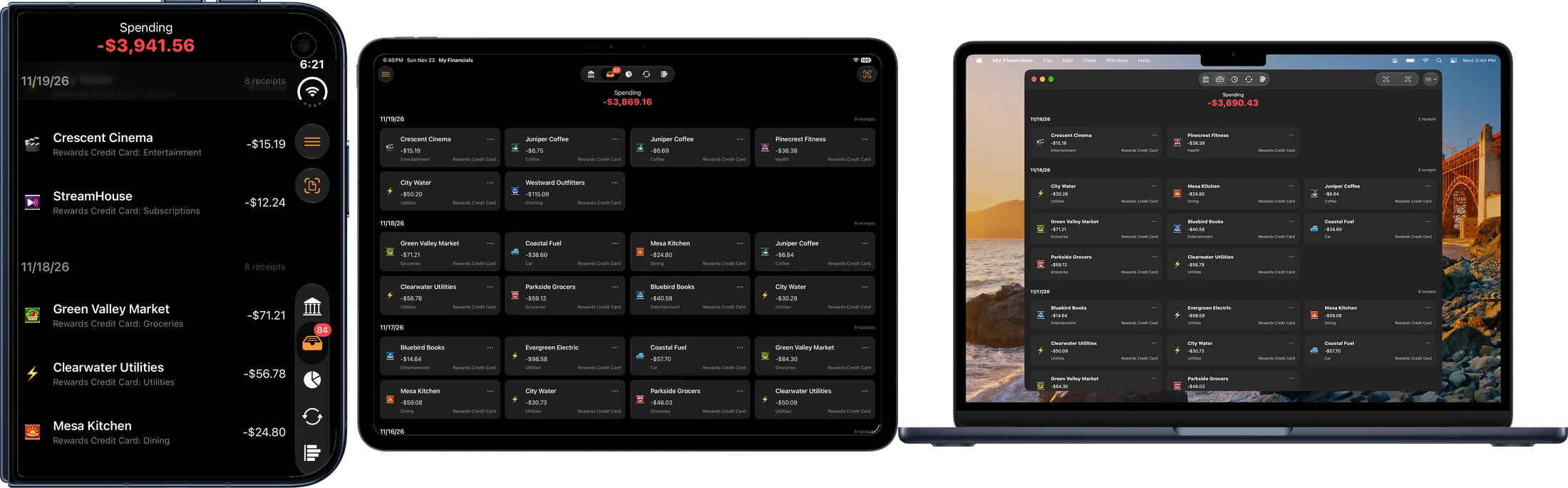
Capture a receipt on your iPhone while you're out shopping. Review it on your iPad when you get home. Turn it into a transaction on your Mac the next morning.
With iCloud sync, your receipts are available across your Apple devices. An app icon badge helps remind you when receipts are waiting for your attention.
No bank connections. No need to hand over your banking credentials. Just a beautifully simple way to keep track of life's everyday purchases.
Spend less time capturing life's purchases and more time enjoying them. Download My Financials today!